When reviewing data or preparing for monitoring activities, it's useful to quickly identify which patients still have unresolved queries. EasyMedStat allows you to filter patients based on whether they have open queries or not.
Go to the header in the Patient list, Statistics menu, or Monitoring menu.
Click Add filter.
In the filter menu, select Queries under Monitoring status.
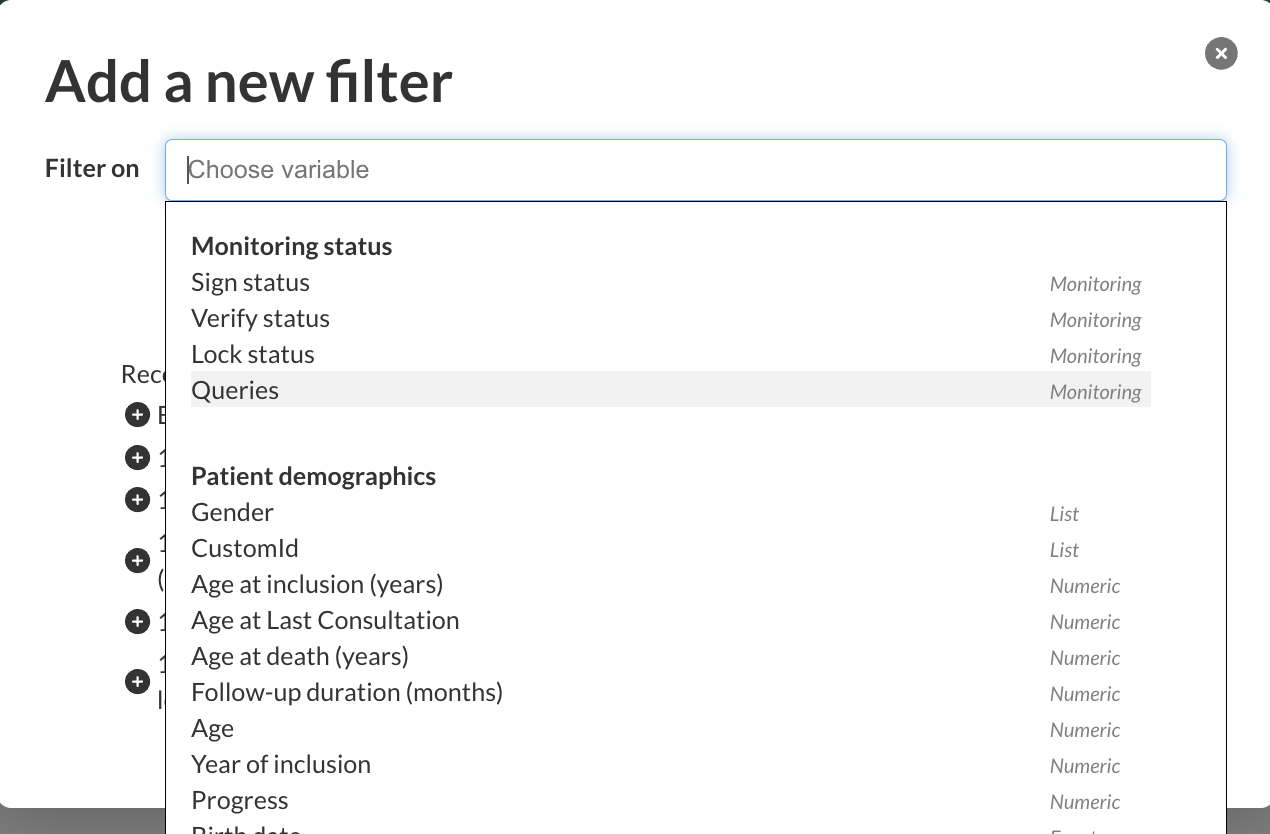
Choose the query status you want to filter on:
Has open queries
Does not have open queries

Click Confirm.
The list will update automatically to show only the patients matching the selected query status
Was this article helpful?
That’s Great!
Thank you for your feedback
Sorry! We couldn't be helpful
Thank you for your feedback
Feedback sent
We appreciate your effort and will try to fix the article