Follow these steps to compute a date difference (e.g., age, duration, delay):
Step 1: Create the variable
Click “+ New variable”
Enter a name (e.g., Age at inclusion)
Set the type to Numeric
A date difference always returns a number
Step 2: Add a formula
In the “Dynamic variable” panel, click “Add formula”
Step 3: Use the Date difference helper
In the left panel, click “Date difference”
Select the unit you want (day, month, year, etc.)
A formula is automatically inserted:
datediff(start_date, end_date, "unit")
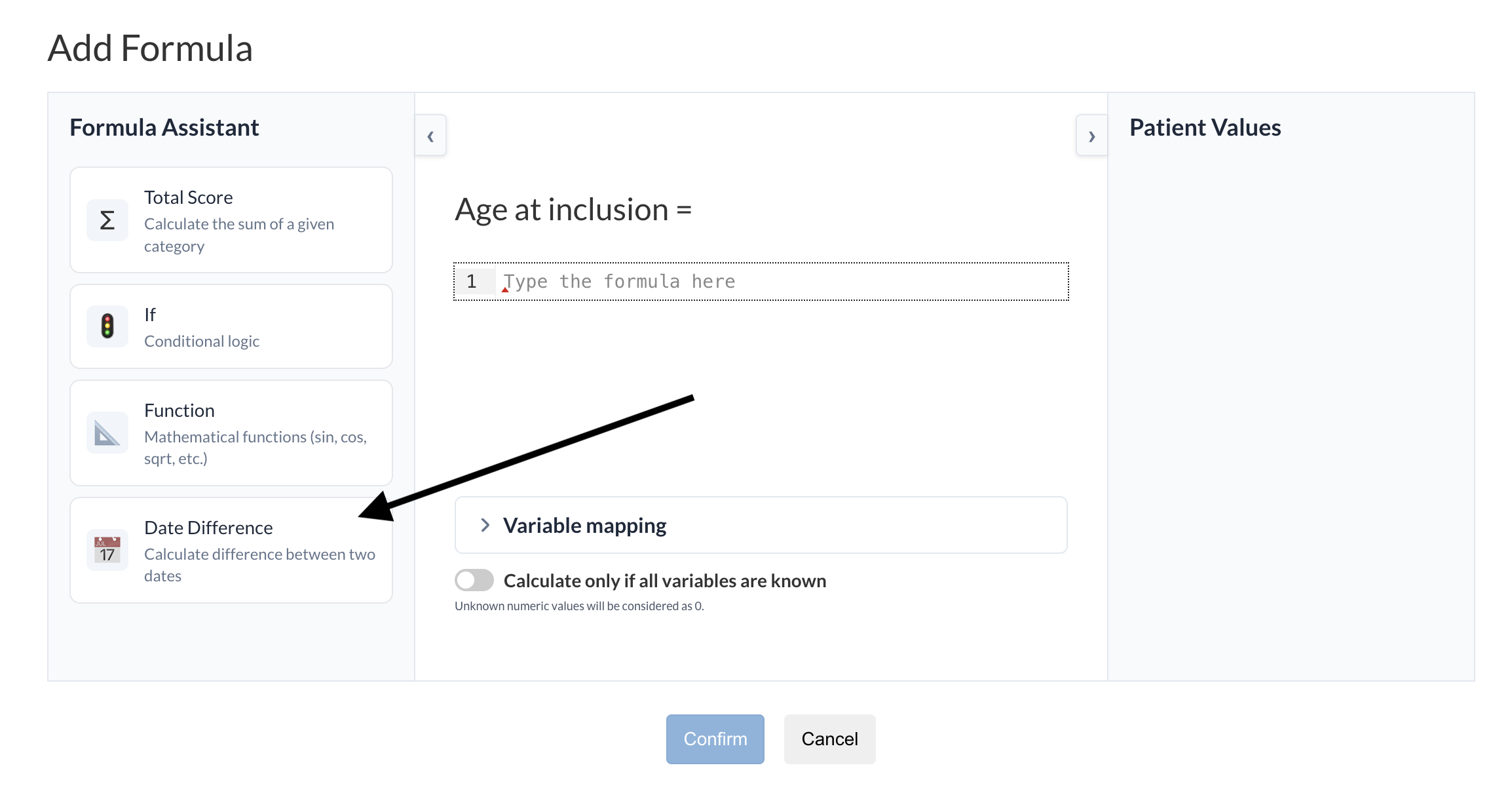
Step 4: Replace the variables
Replace
start_datewith your earlier date (e.g., Birth_date)Replace
end_datewith your later date (e.g., Inclusion_date)
Example: Age at inclusion
datediff(Birth_date, Inclusion_date, "year")
This calculates the patient’s age in years at the time of inclusion.
Step 5: Confirm
Check the “Variable mapping” if needed (usually not needed)
Click “Confirm” to save the formula
Was this article helpful?
That’s Great!
Thank you for your feedback
Sorry! We couldn't be helpful
Thank you for your feedback
Feedback sent
We appreciate your effort and will try to fix the article